Introduction
Price: "0"
Our Basic Features are the foundation of any QR menu, designed to meet the essential needs of any restaurant. They are included for free with any plan, offering a wide range of functionalities. You can choose to use only what you need, but we encourage you to explore the full potential of our QR menu system with these free features. Upgrade to premium extensions to enhance your menu's capabilities. Of course, you are welcome to use the free plan indefinitely, even if you don't plan to purchase additional features.
Settings
-
Theme Maker
- Customize themes for the entire menu, individual lists, contact section, and menu window.
- Generate random colors with options for chosen colors, saturation, and paleness.
- Separate settings for random, dark, and light colors.
- Adjust color angle, saturation, and paleness individually.
-
Basic Text Settings
- Customize text for the entire menu or individual lists.
- Separate settings for title, name, first price, and second price.
- Adjust text color, font size, and middle line settings for a polished look.
-
Basic Background Settings
- Customize backgrounds for the entire menu or individual lists.
- Create gradients with up to 3 colors and adjust the gradient angle.
- Use a single color background option for simplicity.
-
Currency Symbol Settings
- Add currency symbols to prices for the entire menu.
- Choose to display the symbol before or after the price.
- Customize currency symbols for each item's prices individually.
-
Menu Button
- Open the menu window at the beginning with customizable settings.
- Use the Theme Maker to create a unique look.
- Create gradients with up to 3 colors and adjust the gradient angle and scheme.
- Use a single color background option for simplicity.
- Customize background shadow color, placement, and units.
- Add a background image for the menu window.
- Customize the menu button with up to 3 colors.
- Adjust text color, font size, background color, and height for the title.
- Add a background image for the title.
- Customize text color, font size, and background color for menu items.
- Adjust width, height, spacing, and border radius for menu items.
- Add a background image for each menu item.
-
5 Lists
- Create up to 5 lists with customizable themes.
- Include title text, background options, and text options.
- Each list can contain up to 15 items.
-
15 Items per List
- Each item includes a name, first price, and second price.
- Use the first or second price for old prices or tags.
- Hide items or currency symbols as needed.
-
Contact Section
- Customize the contact section with the Theme Maker.
- Create gradients with up to 3 colors and adjust the gradient angle and layout.
- Use a single color background option for simplicity.
- Customize text color and font size for the title and other texts.
- Include social media icons, website, phone number, email links, address, and additional text lines.
-
Headline Image
- Place an image that reflects your workplace at the top of the page.
- Adjust the height of the headline image.
- Use the image and its file name for social media sharing.
-
Sharing View Settings
- Customize the text that appears when the QR code (web link) is shared on social media.
- Include title text, description text, and an image (Headline Image if uploaded).
- Add alternative text for the image (Headline image's file name).
-
Printable
- Choose between portrait and landscape orientations.
- Font sizes adapt to various screen sizes.
- Use the web browser's print feature with the background option enabled to save the page as a PDF and print it.
- Hide the menu button, contact section, icons from other extensions and headline image while saving as a PDF.
-
Plan Flexibility
- Easily switch to other plans, including the extension for ads plan.
- Purchase additional extensions to enhance your menu further.
Introduction
Price: $10
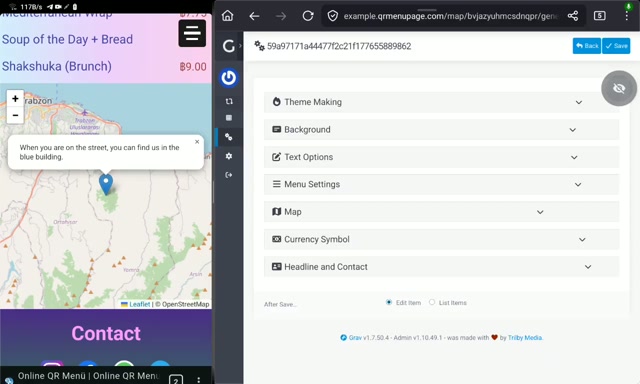
The Map Extension helps your customers easily locate your establishment. Whether they find your QR menu code on social media, from a friend, or on a business card, they can use the map to navigate to your location. You can even add a custom note to the map icon for additional guidance. Powered by open-source technologies like OpenStreetMap and Leaflet.js, this map is both beautiful and functional.
Settings
- Coordinate Settings: Customize the X and Y coordinates for precise map placement.
- Distance Setting: Set the distance to display on the map.
- Map Height: Adjust the height of the map to fit your design.
- Icon Text: Add custom text to the map icon for better user guidance.
Introduction
Price: $20
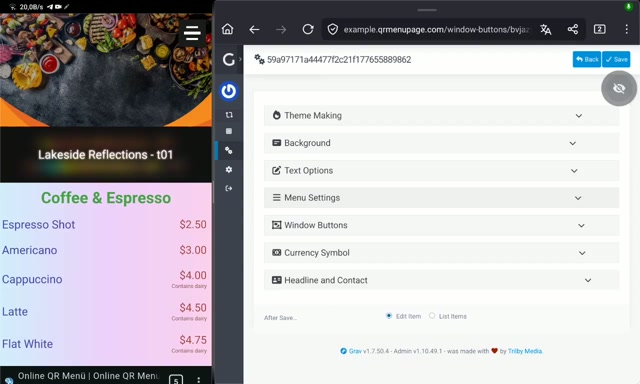
Our Window Buttons Extension offers 10 different styled buttons that open informative windows. Each button can display unique content such as "About Us," "Today's Event," "This Week's Special Meal," "Chef's Note," "Tonight's Special Guests," or "Next Week's Highlights." Customize the buttons' and windows' colors and styles to match your content perfectly. This extension includes a special folder with a 20-image capacity, allowing each window to display an image. Use Markdown to format your content easily. Like all our extensions, this one supports multiple languages.
Settings
- 10 Unique Button Styles: Choose from 10 different button styles to enhance your menu's interactivity.
- Image Support: Upload up to 20 images to display in windows, with each window showcasing one image.
- Button Usage: Each button style can be used up to 3 times, allowing for a total of 30 buttons.
- Customizable Settings: Adjust colors, sizes, and other visual elements for each button style.
- Content Customization: Create separate content for each button with Markdown support, and customize hide, position, and page settings.
- Theme Maker: Use the Theme Maker to create unique themes for each window.
- Gradient Backgrounds: Create gradient backgrounds for the window and outside of the window with up to 3 colors and customizable color angles.
- Close Button Colors: Customize the colors of the close button for a cohesive look.
Introduction
Price: $20
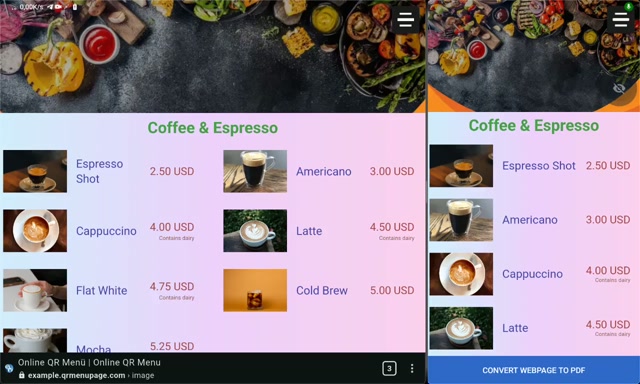
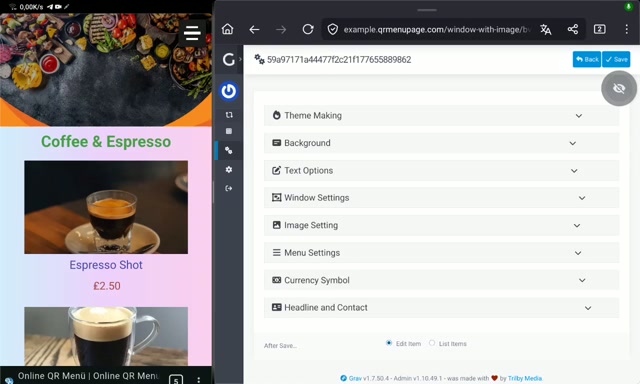
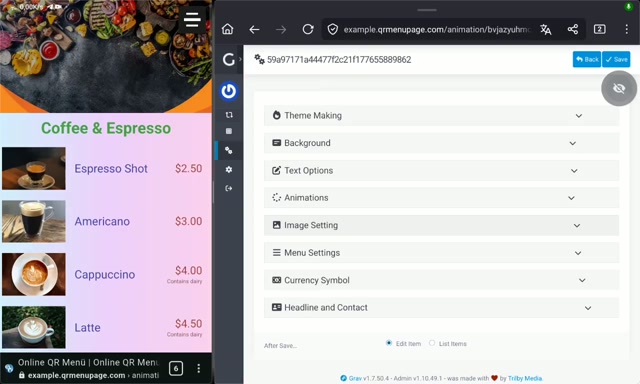
The Image Extension allows each menu item to have an accompanying image. Customize the image size and position to fit your design. If you also use the Window Extension, these images will be displayed in the item's window. Clicking an image enlarges it for better viewing. Powered by lozad.js, images load only when they come into view, ensuring optimal performance.
Settings
- Item Images: Add one image for each menu item.
- Image Position Settings: Customize the position of images for optimal display.
- Image Size Setting: Adjust the size of images to fit your design.
- Hide Images: Option to hide all item images if needed.
- Image Preview: Clicking an image opens a window to view it in closer detail.
Introduction
Price: $50
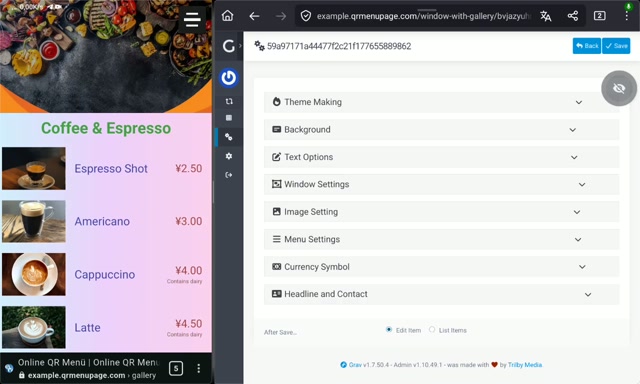
The Gallery Extension upgrades your current Image Extension into a sleek, high-performance showcase powered by spotlight.js, enabling you to display multiple images seamlessly in an elegant gallery format.
Settings
- Enhanced Image Extension: Includes all features from the Image Extension except for the number of images and window settings.
- Five Images per Item: Display up to five images for each menu item.
- Gallery View: Clicking an image opens a gallery app with swipe, next/previous navigation, zoom, and full-screen options.
Introduction
Price: $10
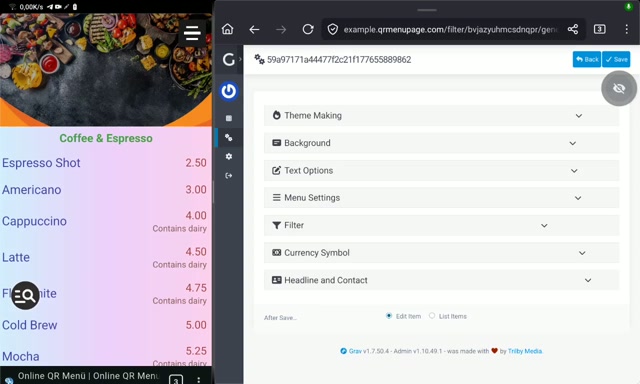
The Filter Extension simplifies navigation through long menus. It adds a search button that, when clicked, reveals an input field. Customers can enter the name of an item, and matching results will be highlighted and brought into view. If multiple items match the search, they will all be highlighted, with the selected item distinguished. Customize the highlighting colors to match your brand. This feature ensures a seamless and efficient user experience.
Settings
- Search Functionality: Filter item names to search for specific text.
- Filter Icon: An icon to initiate the filter application.
- Navigation Buttons: Buttons for navigating to the next and previous matches.
- Customizable Themes: Six color options for theming the filter interface.
Introduction
Price: $10
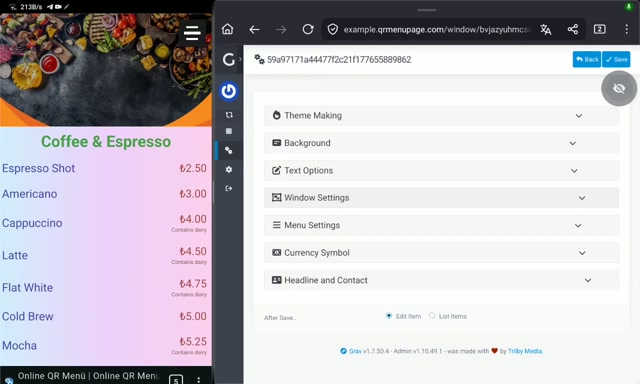
The Window Extension provides a detailed view for each menu item. When an item is clicked, a themed window appears, allowing you to include longer descriptions. Use Markdown to format your content easily. If you also use the Image or Gallery Extension, the window will display the item's image, enhancing the visual appeal.
Settings
- Item-Specific Windows: Clicking an item opens a window with content specific to that item.
- Markdown Support: Use Markdown to format text easily.
- Customizable Settings: Adjust settings for all lists and individual lists.
- Font and Color Settings: Customize font size and text color for titles and text.
- Theme Maker: Use the Theme Maker to create unique themes for all lists and individual lists.
- Gradient Backgrounds: Create gradient backgrounds for the window and outside of the window with up to 3 colors and customizable color angles.
- Close Button Colors: Customize the colors of the close button for a cohesive look.
Introduction
Price: $10
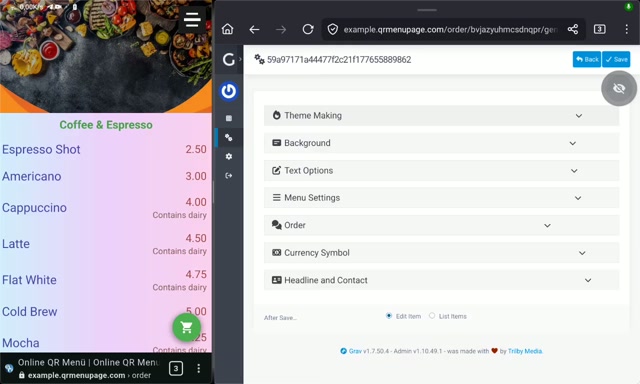
The Order Extension streamlines the ordering process for customers who prefer not to communicate verbally or want to see the total price before ordering. Customers can view their order list with item names and prices, provide their name, contact information, and any special notes or delivery preferences. They can choose to send their order via text, WhatsApp, Telegram, email, SMS, or other configurable options.
Settings
- Quantity Buttons: Plus and minus buttons for adjusting item quantities, with real-time calculation text for each item.
- Order Details Window: A window to view all selected items, their quantities, and the total price of the order.
- Delivery Information Window: A window to enter delivery details, including name, phone number, address, and any special notes.
- Send Button: A customizable send button with three color settings.
- Sending Options: A window with social link icons, phone, SMS, email, and copy options for sending the order details.
Introduction
Price: $30
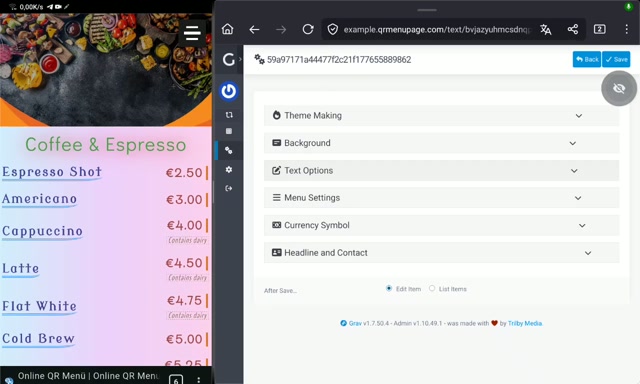
The Text Extension takes your menu's text settings to the next level. Customize fonts, colors, and styles to create a unique and visually appealing menu. Experiment with different settings to see the effects and enhance your menu's overall look. This extension is designed to be user-friendly and won't cause performance issues, even with extensive customization.
Settings
- Text Styling: Customize text color, font size, middle line width, middle line color, and font settings.
- Advanced Text Settings: Adjust row height, gap between letters, text thickness, slope, and scale.
- Text Shadow: Customize text shadow color, placement, and blur settings.
- Text Positioning: Set the place of text and apply transformations.
- Edge Styles: Customize edge style, side, color, and width.
- Outline Settings: Adjust outline style, color, space, and width.
- Border and Space: Customize border, internal space, and external space settings.
- Global Settings: Apply settings to all titles, names, prices, and second prices.
- Individual Settings: Customize each title, name, price, and second price individually.
Introduction
Price: $40
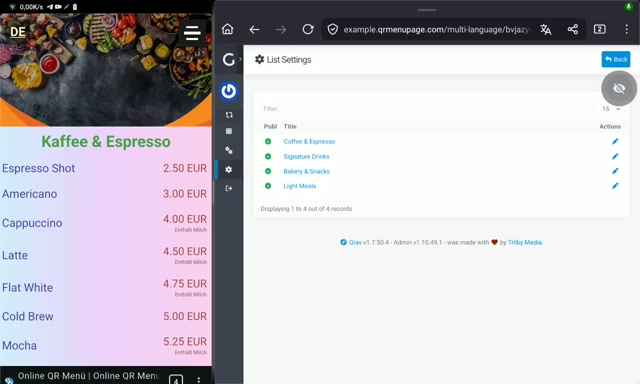
Create a single menu that supports multiple languages with our Multi-Language Extension. Customize not only item names but also prices, currencies, and the content of other extensions like Window, Window Buttons, and Map. Clicking a language shortcode (e.g., EN, FR, DE) will direct users to the corresponding language page (e.g., /en, /fr, /de).
Special Notes:
- This extension includes one additional language, making a total of two languages for your menu.
- Each additional language requires an additional purchase.
- This extension does not translate text; translations need to be provided manually.
Additional Language Price: $10
Settings
- Multilingual Support: Change all titles, names, prices, and currencies, including those in windows, for different languages.
- Customizable Language Settings: Adjust text color, font size, and background color for the language-changing interface.
Introduction
Price: $30
Bring your menu to life with animations that are not possible on a paper menu. Our Animation Extension, powered by animation.css, allows you to add dynamic movements and timing to your menu elements. While excessive animations can be overwhelming, strategic use can draw attention to key items or sections. Experiment freely with different settings to see the effects without worrying about performance issues. Use animations sparingly, like a dash of salt in a meal, to enhance the overall experience and make your menu stand out.
Settings
- 75 Animation Options: Choose from a wide range of animation effects to make your menu dynamic.
- Animation Timing: Set the duration, delay, number of steps, repetition, and time between animations.
- Global Animation Settings: Apply animation settings to all titles, items, names, and prices.
- Individual Animation Settings: Customize animations for each title, item, name, and price individually.
Introduction
Price: $10
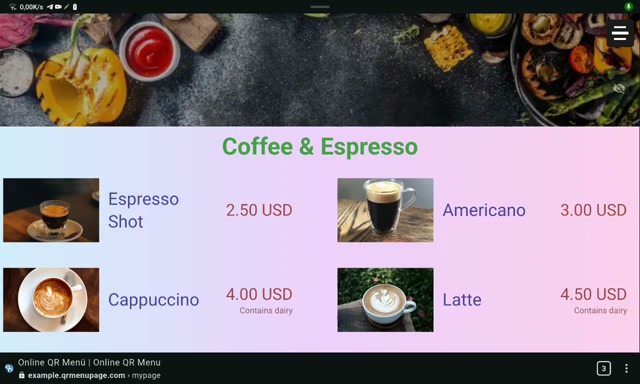
This extension helps you showcase your menu on a large screen for your customers. It generates a separate link for a public menu view, which automatically displays all your current lists and items.
We recommend trying the example page on the device where you plan to use this extension for screening purposes before purchasing, to ensure compatibility.
Settings
- Streamlined View: Hide specific elements to create a clean, distraction-free display for your customers. This includes the header image, contact section, menu icon, multi-language section, and filter and order icons.
- Full-Screen Mode: The menu launches in a dedicated, full-screen view, hiding the browser's address bar, tabs, and toolbars for a seamless, kiosk-like experience.
- Auto-Scrolling Animation: The menu view automatically scrolls from top to bottom and bottom to top in a continuous, smooth loop.
- Custom Scroll Speed: Control the pace of the auto-scrolling by setting independent speeds for the upward and downward movements.
- Scroll Delay Settings: Set individual pause delays (in seconds) before the auto-scrolling resumes after reaching the top or bottom of the menu.
Introduction
Price: $20
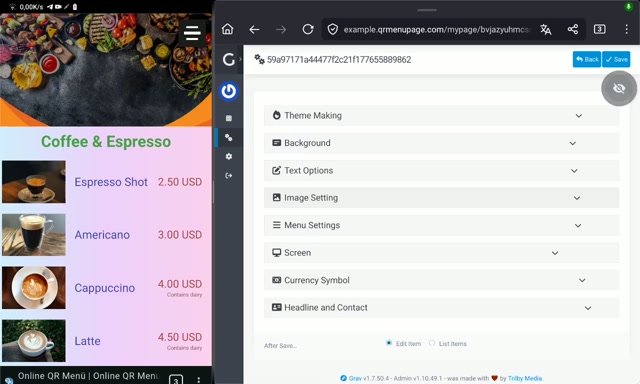
The Free Features allow for 5 lists with 15 items each. If you need more, this extension provides the large menu solution you require.
Settings
- 10 Lists: Build larger menus with up to 10 customizable lists, doubling the capacity of the free version.
- 30 Items per List: Add rich content with up to 30 items per list (each with customizable names and prices), twice the previous limit.
Introduction
Price: $30
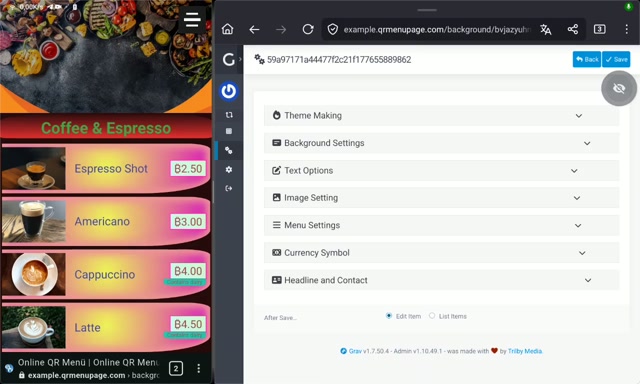
Elevate your menu's visual appeal with our Background Extension. While basic background settings are sufficient for a standard menu, this extension allows you to create a truly unique and stylish look. Add images behind lists or use the entire menu as a background canvas. Customize colors and usage options for nearly every element on your menu, opening up endless possibilities for styling. Experiment with different settings safely, as they won't cause performance issues or break anything. Discover the perfect look for your menu by trying out various settings.
Settings
- Gradient Backgrounds: Create stunning gradients with up to 3 colors.
- Gradient Customization: Adjust the gradient angle and scheme to fit your design.
- Solid Color Background: Use a single color background for simplicity.
- Shadow Effects: Customize background shadow color, placement, and units.
- Border Radius: Adjust the border radius for a polished look.
- Global Settings: Apply background settings to all lists, items, titles, names, prices, and second prices.
- Individual Settings: Customize background settings for each list, item, title, name, price, and second price individually.
- Background Images: Add background images for all lists or individual lists.
- Color Adjustments: Use color turner, saturation, and rudder settings for all lists to fine-tune the visual appeal.